How To Fix a Broken Phone Screen


Repairing a cracked cellphone screen
It is not unusual to crack the LCD screen on a cell phone. Damage is easy to avoid when you have your cell phone protected in a case or phone cover. However, when a phone does not have sufficient protection, it can become tarnished quickly and will need to be repaired.
From dropping your phone on the floor to leaving it in a bag, there are many causes for a broken phone screen. Whatever the cause, it's a good idea to know how to repair a cracked cell phone screen yourself, because you never know when it may happen!

It's easier than you think
Most people will immediately call for the help of a trained professional to fix their phone when in times of need. This is the easy and convenient option, however it may result in you spending unnecessary money that could be spent elsewhere.
Understanding what things you'll need and having the instructions to fix a cell phone screen yourself is a great way to save money. It does not take much time at all and is a handy thing to know for future predicaments.
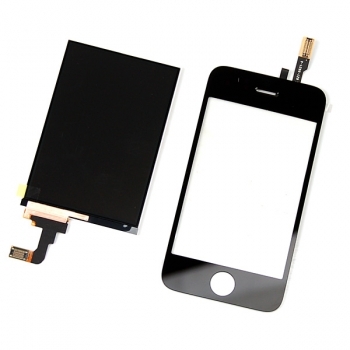
What you'll need to repair a cell phone's LCD screen.
Begin by looking around your house for the items you'll need, before you venture out to buy the items.
You will more than likely possess some of the items already, but if not, it's possible to pick them up easily from your nearest store for a small price. Alternatively, you can find great deals online.
Purchasing items to do the job does not mean you are spending more than you need to, because this is just a fraction of the price it would cost to get a professional's tools and labour.
You will need:
- Replacement screen for your phone model
- Torx screwdriver
- Flathead screwdriver
- Pair of tweezers
Now you have your items at the ready, you should follow instructions closely. Reading through the instructions before you start work is important, as it can shave time off.

Get to work!
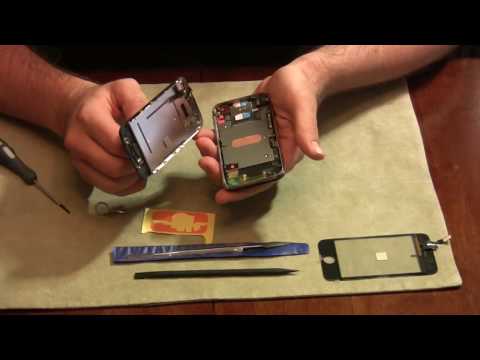
Instructions to fix a broken phone screen.
You are minutes away from a shiny new phone screen. Follow each step carefully to do the best job possible.
- First things first, turn the power off on your phone.
- Now, take the back cover of your phone off carefully. Each phone has a different way of doing so. Ensure not to force it off as this could break the cover.
- Once the back cover is off, slide the battery and sim card out and place to one side.
- Now it's time to concentrate. Locate the RF grommet on the bottom of the phone. This should be where the battery once was. Once you have found it, pull the plastic grommet out with your pair of tweezers. Keep these to one side with the battery, sim and cover.
- Opposite to where the RF grommet was should be a small hole. Insert your tweezers into this to pop the bottom plastic cover off. Once again, be careful not to damage your phone when doing so.
- Following this, take your torx screwdriver and remove each screw from the edges of the phone. This is so that the metal plate can be removed.
- Flip the phone over so that you can see the broken cell phone screen. With your flathead screwdriver, slip under the seam on the bottom of the phone. Use slight movements to remove the cover.
- With the tweezers, locate the latch on the side of the phone screen and use the tweezers to lift the latch. This should result in the screen coming off.
- You should be able to see a cable running from the phone screen to the phone. Remove this cable and with your replacement screen, insert in the broken screen's place.
- If you are happy that the phone screen is inserted properly, reattach the cable. Take your items you placed to one side earlier and insert your battery, sim and covers back to the phone.
Test it.
Want to see if your little experiment worked? Turn your phone on and voila! Your new phone screen should look great and work perfectly with your phone, no matter what make or model!
Keep this information handy, because you never know when it might happen and how convenient it is when you know how to pull it off!
![Mr.Shield [Tempered Glass] Screen Protector For iPhone 6 / iPhone 6S / iPhone 7 / iPhone 8 [3-Pack] Screen Protector](https://m.media-amazon.com/images/I/41KN10DoS4L._SL160_.jpg)